General Settings
This page collects the assistant-wide settings that don’t belong to a specific tool —
how much history the assistant remembers, what language it answers in, and how replies
are delivered. Hover the ⓘ next to a label for a description of each field.
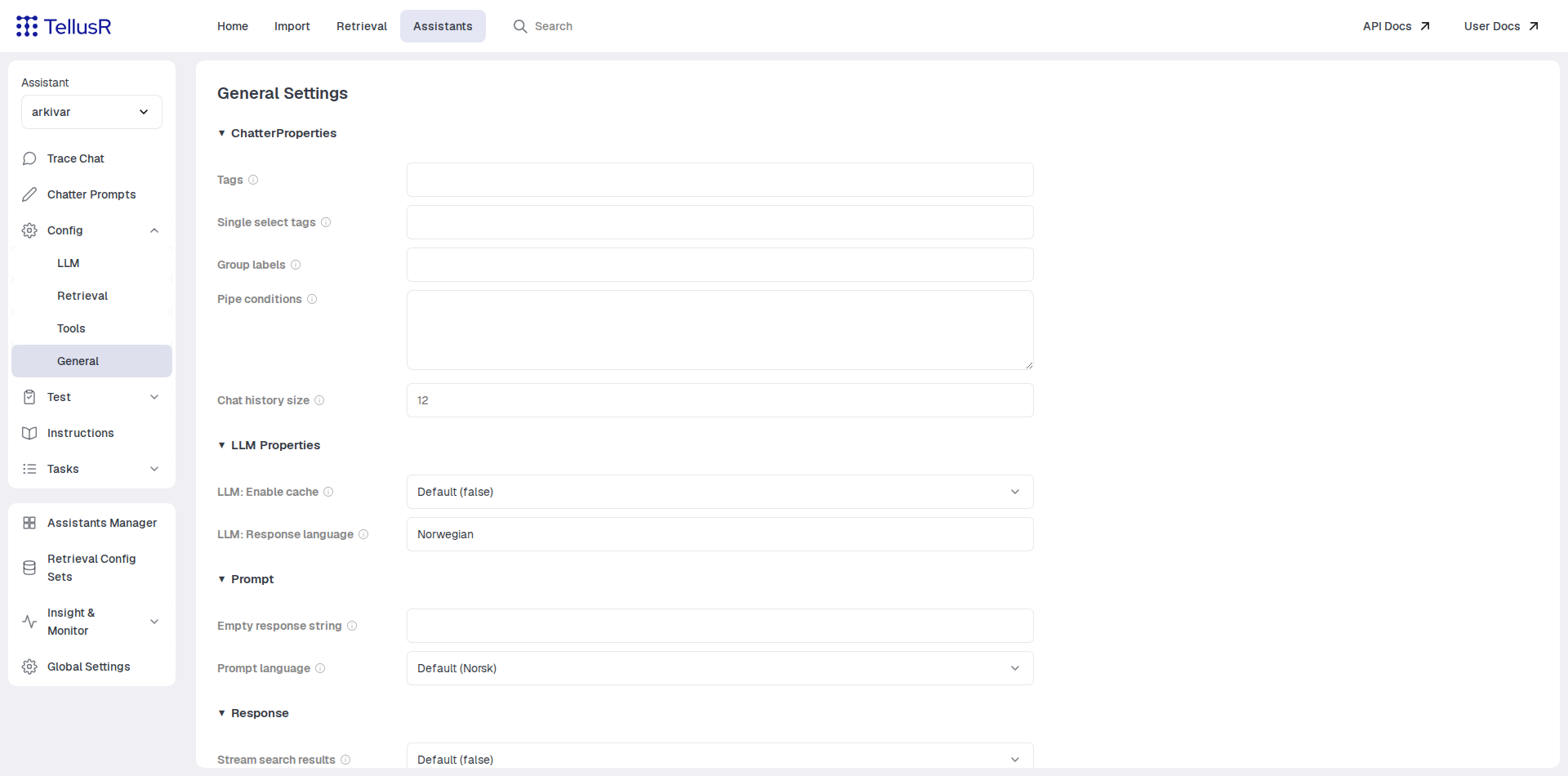
The most commonly adjusted fields:
| Field | Description |
|---|---|
Chat history size | How many previous turns of the conversation are included in each LLM call. |
LLM: Response language | The language the assistant answers in. Inserted into the prompt as the LANG variable. |
Empty response string | What the assistant answers when it finds nothing to answer from. |
The setting groups
| Group | Contains |
|---|---|
ChatterProperties | Conversation behavior: history size, plus the tag setup (tags, single-select tags, group labels) that powers the filter checkboxes in Trace Chat. |
LLM Properties | Response language and LLM answer caching. |
Prompt | Prompt language — the language of the built-in default prompts, used wherever a prompt has not been customized — and the empty-response text. |
Response | How replies are delivered over the chat API: streaming of search results, keep-alive, double-lined paragraphs, warnings in the response. |
Prompt language and Response language are different things: the first selects which language the built-in prompt templates are written in, the second tells the model which language to answer the user in. Both default to the installation’s global language.
Changes are saved as you leave each field — the checkmark next to the field confirms
the save. Fields left empty inherit their default (shown as placeholder text or a
Default (…) option).