Instructions
This page is for writing and maintaining the instruction documents of an assistant. An instruction document is a named markdown document that the assistant can read — a small wiki of knowledge, guidelines and reference material that lives next to the assistant rather than inside its prompts.
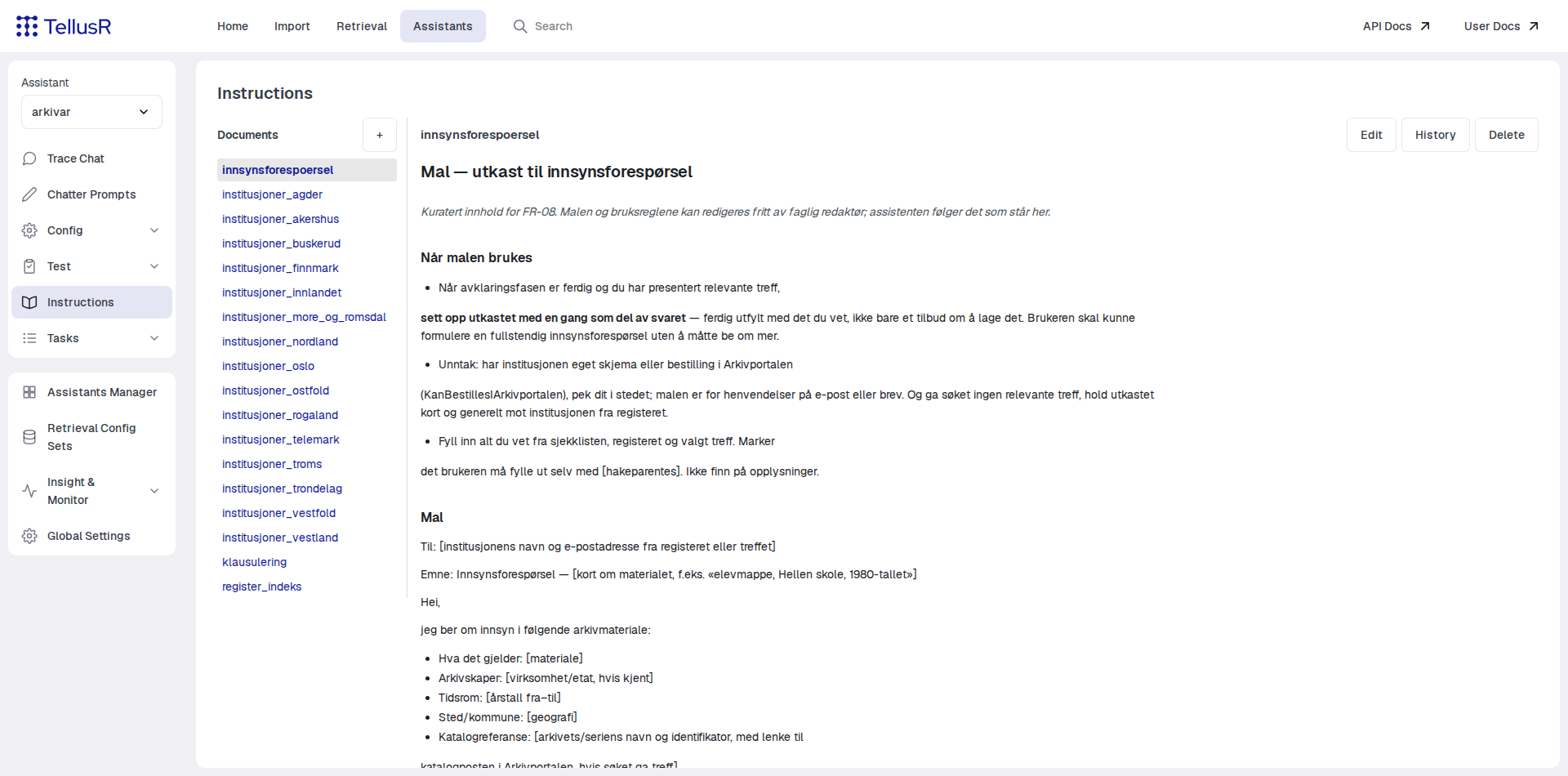
The left sidebar lists the documents, sorted by key. Press + to create a new document:
give it a key consisting of letters, digits, _ and - (for example register_indeks or
institusjoner_innlandet). The key is the document’s stable name — it is how links and the
assistant refer to it.
Reading, editing and history
The toolbar switches between modes:
| Action | Description |
|---|---|
Read | Renders the markdown. This is the default mode. |
Edit | A plain markdown source editor. Press Save to store your changes. |
History | Lists earlier revisions of the document. Each revision can be shown as rendered markdown, or compared against the current version with a word-level diff. |
Delete | Permanently removes the document, after confirmation. |
Every save is recorded as a new revision, so you can always see what changed and when.
Leaving the editor with unsaved changes asks for confirmation and discards them — save before switching documents.
Linking documents together
Documents link to each other with ordinary markdown links where the target is simply another document’s key:
See [Innlandet](institusjoner_innlandet) for the institutions in that region.
In Read mode such links navigate within the wiki. Links with http:// or https:// open as
normal external links. Because the links are plain markdown, the assistant sees exactly the same
link text as you do — and can follow it.
How the assistant uses instructions
Instructions reach the LLM through two independent mechanisms:
- On demand: the assistant has a tool function called
instructionsthat fetches a document by key. Nothing is added to the context until the model asks for it. The model is presented with the list of available keys, so it can only fetch documents that exist. - Always injected: a prompt placeholder
(>INSTRUCTION:<key><)pastes a document’s full text into a prompt when it is rendered. Use this for content the assistant must always know.
A useful pattern is to combine the two: inject a short index document into the system prompt, and let it link to detail documents that the model fetches on demand. This keeps the permanent context small while making a large body of knowledge reachable.
Instruction documents are held by an Instruction tool instance. Assistants that share the same Instruction tool (the default) share the same wiki, so several assistants can draw on one common set of documents. See the Tools page for how tools are bound to assistants.