LLM
This page is for configuring which language models an assistant uses. An LLM setup is a named connection to an LLM provider — the provider, model and credentials, together with the provider’s tuning parameters. An assistant can hold several setups (for example a cheap model and a reasoning model) and bind different prompts to different setups.
The page has two tabs: LLM Connections and Prompt Bindings.
LLM Connections
Each setup is shown as a card. The setup named Default always exists; create additional
setups with the New Setup field at the bottom — a new setup starts as a copy of Default.
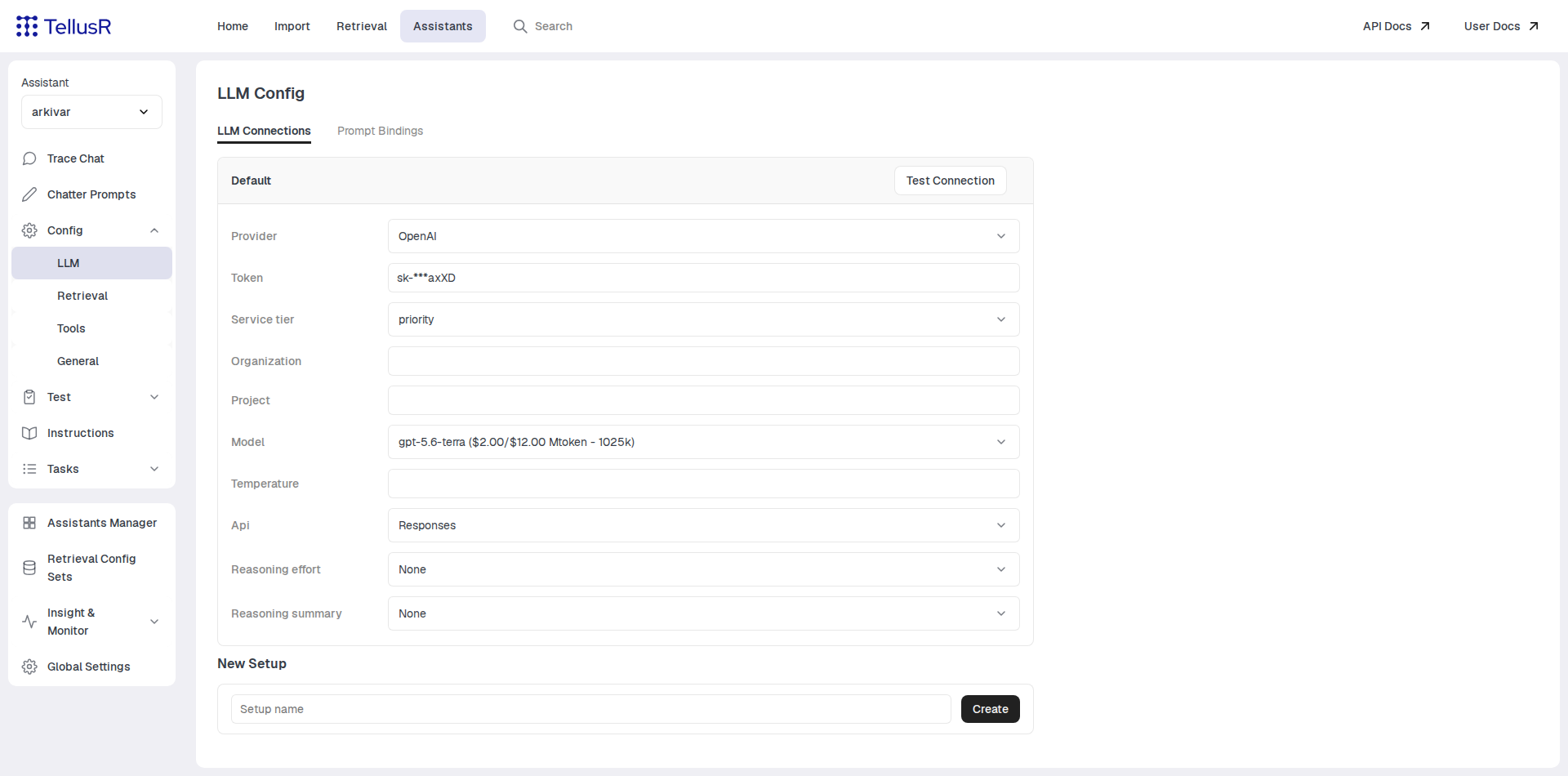
The first field on every card is the Provider. Changing it reloads the card, since the remaining fields are provider-specific. Supported providers include OpenAI, Azure OpenAI, Anthropic, Gemini, Mistral, OpenRouter, Fireworks, Cloudflare, Ollama and vLLM — the last two for self-hosted models.
Typical fields (the exact set depends on the provider):
| Field | Description |
|---|---|
Token | The provider API key. Shown masked after saving. Cloudflare additionally requires an AccountId; self-hosted providers (Ollama, vLLM) use Url with Username/Password instead. |
Model | The model to use. Providers with a known catalog offer suggestions; Ollama lists the models available on your server. |
Temperature | Sampling temperature. Available on most, but not all, providers. |
Max Tokens | Upper bound on the length of the generated reply. |
Reasoning Effort / Thinking Budget | Controls reasoning/thinking for models that support it. |
Every field saves automatically when you leave it — a green ✓ confirms the save. There is no save button.
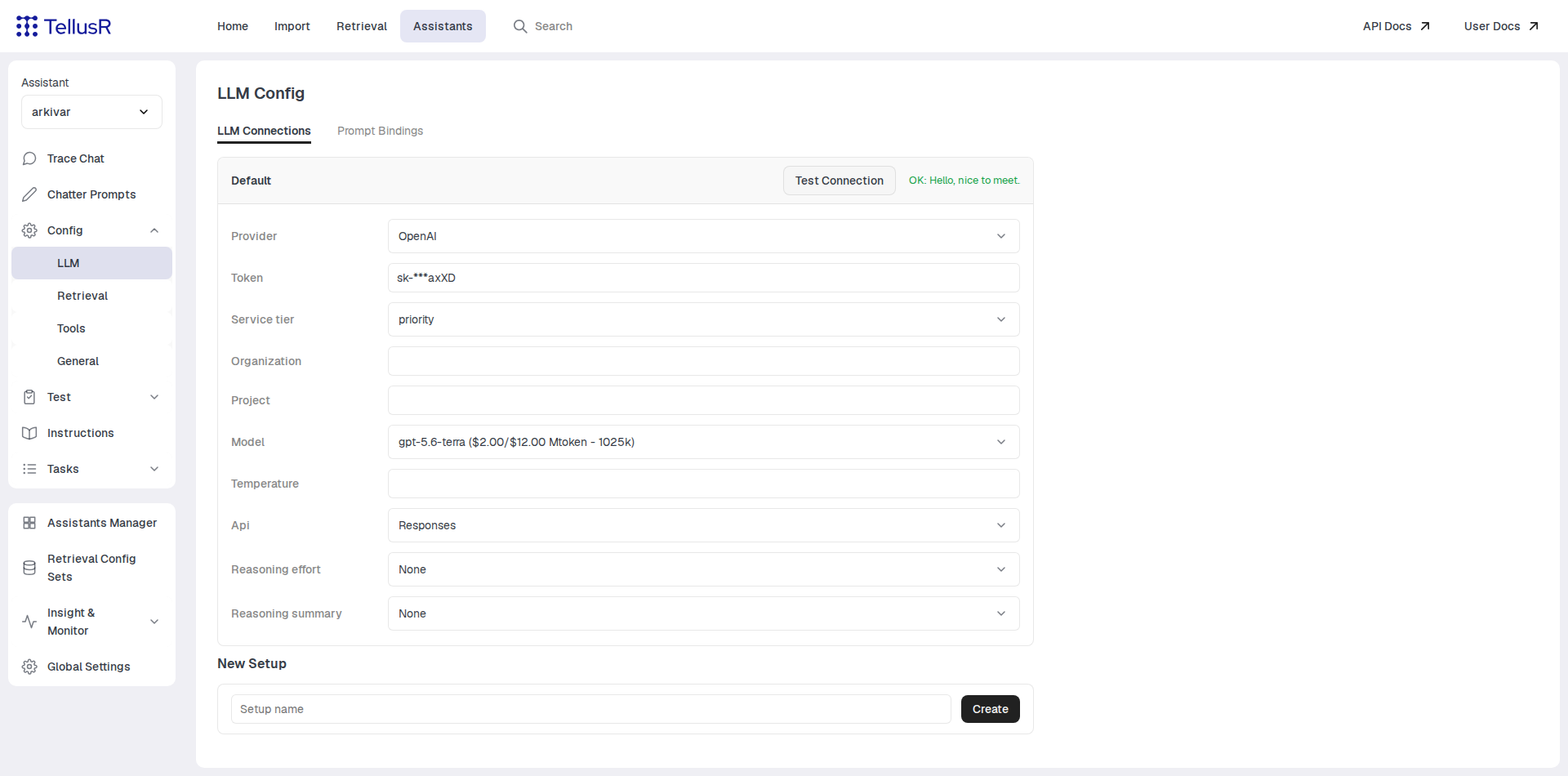
Use the Test Connection button on a card to verify the setup: it sends a minimal prompt to
the provider and shows the reply (or the error) inline.
Setups are shared through the assistant’s LLM tool. The connection setups live in the LLM tool instance the assistant is bound to (see Tools). Assistants bound to the same LLM tool share the same setups and credentials, so a change here affects all of them. The prompt bindings on the second tab, by contrast, belong to the individual assistant.
Prompt Bindings
An assistant runs many different prompts — the main chat prompt, query rewriting, evaluation
and background tasks. The Prompt Bindings tab lists them all, grouped by category, each with
a dropdown of the available setups shown as SetupName (provider.model).
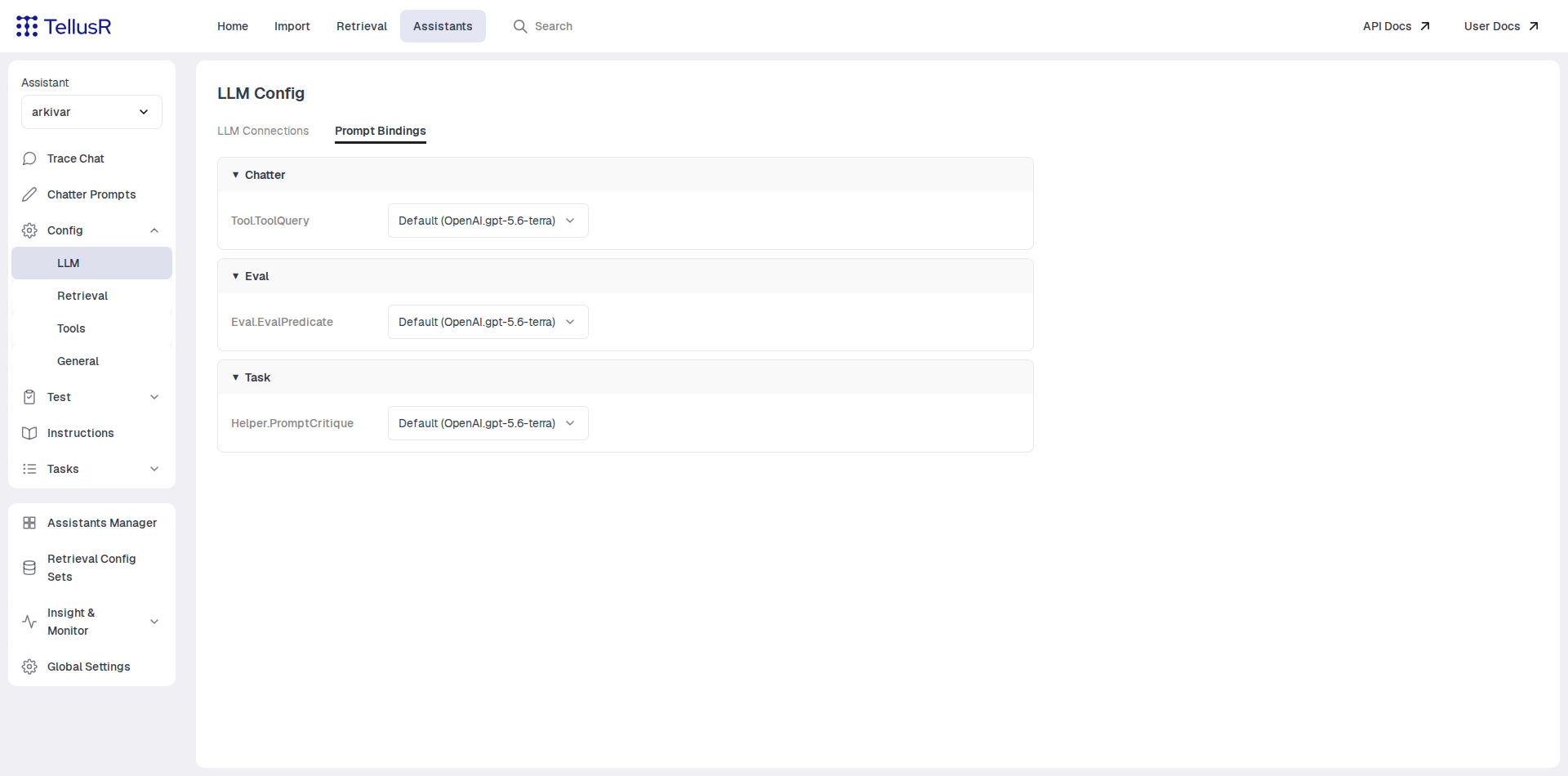
This is how you route heavy questions to a capable model while letting cheap utility prompts run on a smaller one: point each prompt at the appropriate setup. Changes take effect immediately.