Assistants Manager
This page is for creating new assistants and managing the ones that exist. It is the starting point of the Assistants module: every other page in this section configures an assistant that was created here.
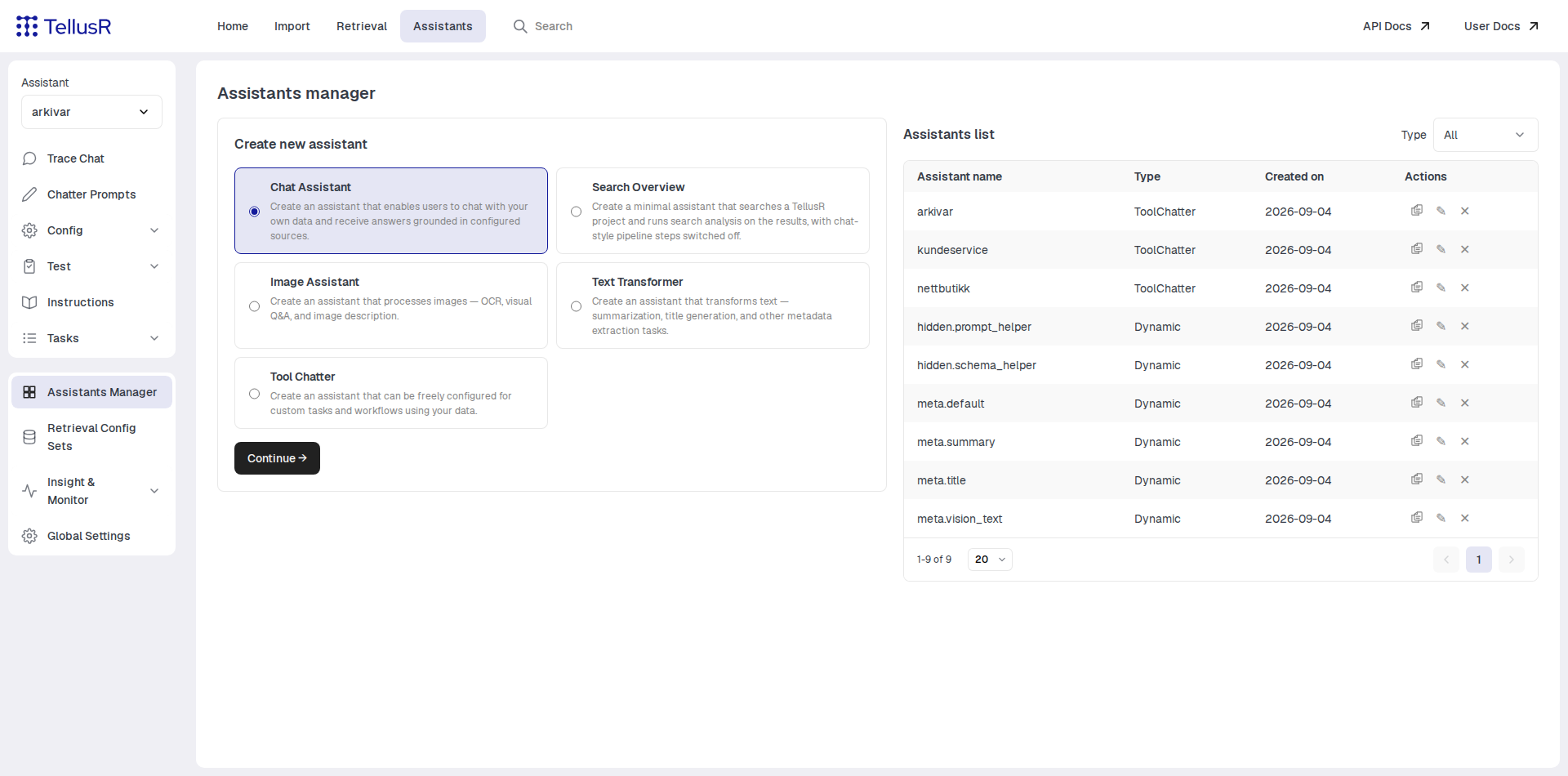
Creating an assistant
Pick an assistant type in the Create new assistant card and press Continue:
| Type | Description |
|---|---|
Chat Assistant | Chat with your own data — answers are grounded in configured sources. This is the type most installations want. |
Search Overview | A minimal assistant that searches a TellusR project and runs search analysis on the results, with the chat-style pipeline steps switched off. |
Image Assistant | Processes images — OCR, visual Q&A and image description. |
Text Transformer | Transforms text — summarization, title generation and other metadata extraction tasks. |
Tool Chatter | A freely configurable assistant for custom tasks and workflows. Start here when none of the presets fit. |
The next step asks for a name. Types that answer from your data (Chat Assistant and
Search Overview) also let you pick the TellusR project to search, and create the
retrieval setup for you. After Create you land on the new assistant’s configuration
page, ready to fine-tune.
The assistants list
The list on the right shows every assistant with its type and creation date. The Type filter narrows the list to one assistant type, and offers exactly the types that are present. Each row has three actions:
| Action | Description |
|---|---|
Copy | Duplicate the assistant, including its configuration. |
Rename | Give the assistant a new name. |
Delete | Remove the assistant, after confirmation. |
The list also shows the internal system assistants (names like meta.title or the
hidden.-prefixed helpers). They power built-in features — title generation,
summaries, the prompt helper — and are hidden everywhere else in the UI. Leave them in
place unless you know what you are doing.