Test: Setup & Run
This page is for building a regression suite for an assistant: a set of test questions with automatic checks, so you can tell whether a prompt change, a retrieval tweak or a model switch made the answers better or worse.
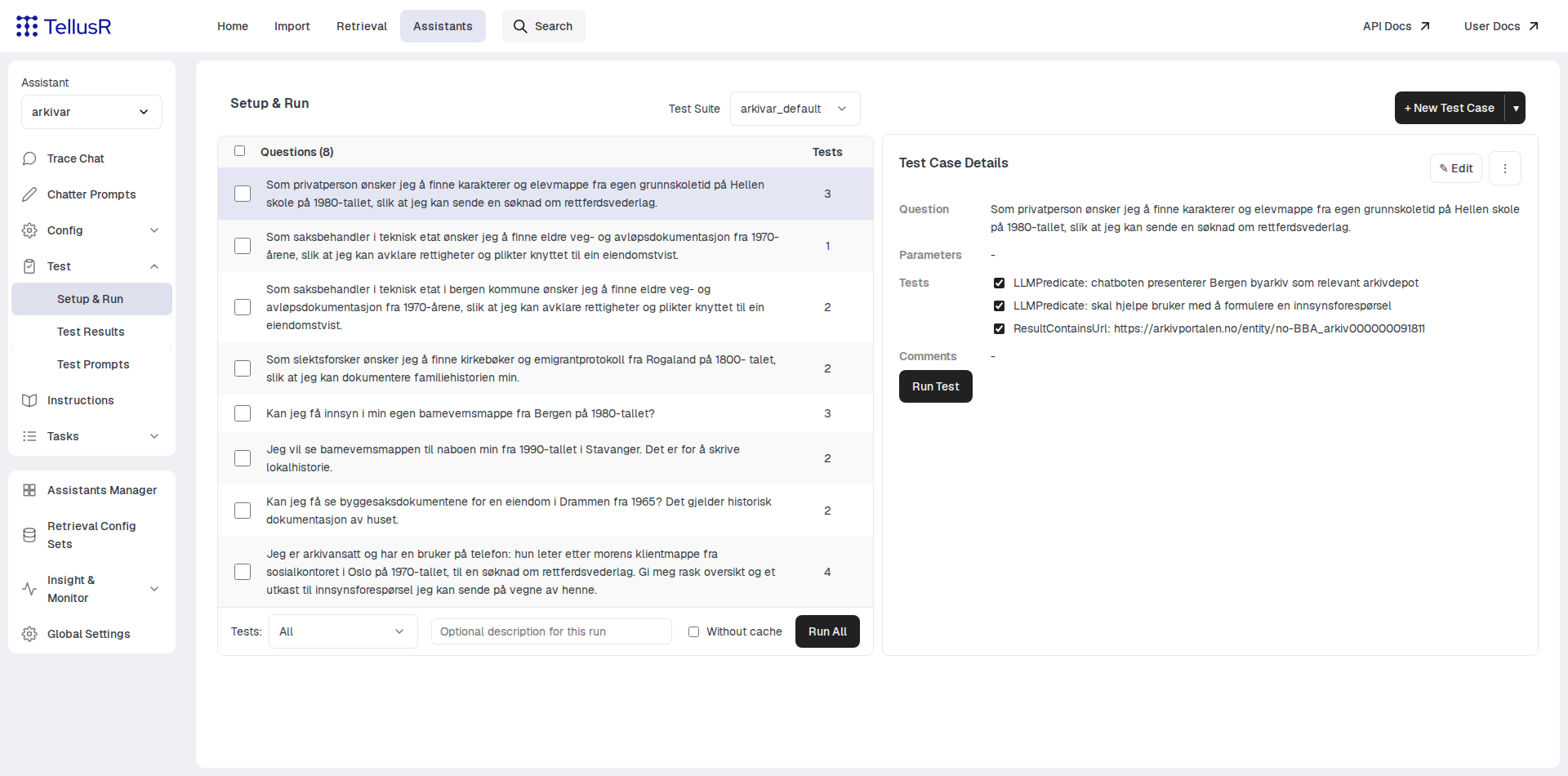
Test cases live in a test suite (selected at the top — suites can be shared between
assistants). Each case is a question plus one or more tests that grade the answer.
Press + New Test Case to add one; the newly created case is selected in the table so
you can review it right away.
Test types
| Type | Description |
|---|---|
LLMPredicate | A condition in natural language — an LLM judges whether the reply satisfies it. |
Contains | The value must contain the quoted text, e.g. REPLY "Bergen byarkiv". |
ResultContains | The search must surface a document — give a URL, a DocId, or a Field=value expression. |
SourceContains | Same expressions as ResultContains, but full score only when the document is among the cited sources; half score if it was found but not cited. |
HasSources | The reply must cite at least one source. |
The Examples & Help expander in the test-case form documents the exact expression syntax for each type.
Running
Run All runs every case in the suite; select rows with the checkboxes to run a
subset. The optional description labels the run so you can find it again in Test
Results. Without cache forces fresh LLM answers instead of reusing cached ones —
slower, but the right choice after a prompt or model change.
Runs are queued and executed in the background — a dialog confirms the queue and links to the Test Results page, where each run is scored per case and can be compared with earlier runs.
A small suite beats no suite. Three or four questions with an LLMPredicate each —
written before you start tuning prompts — is enough to catch most regressions.