Setup Overview
This page is for checking your installation status at a glance and jumping to the most common next steps.
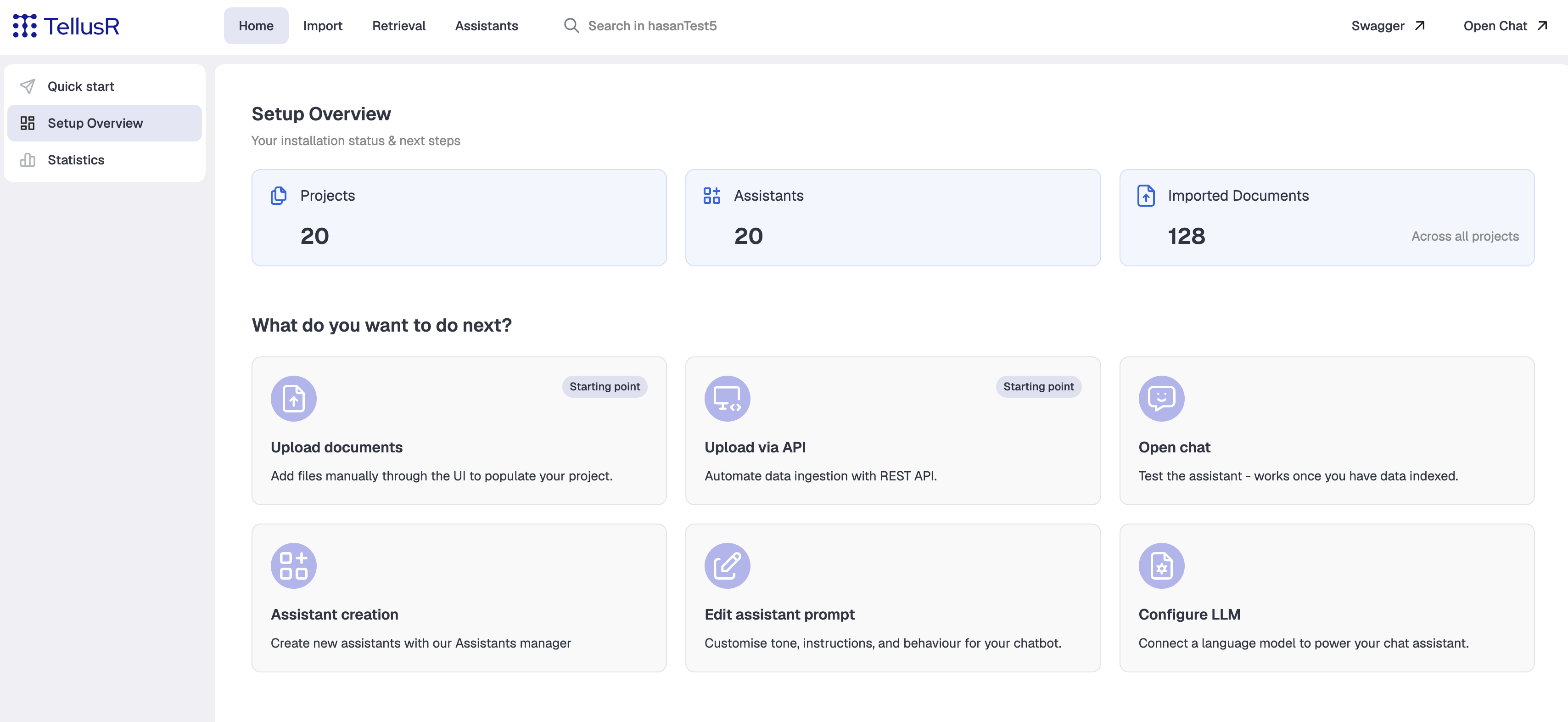
Installation status
Three cards summarize the deployment and link onward when clicked.
| Card | Description |
|---|---|
Projects | Number of projects (/tellusr/api/v1/available-projects). Opens the project you just created on Quick start, if there is one; otherwise the Projects list. |
Assistants | Number of assistants, i.e. dialogue profiles. Opens the Assistants Manager, with the relevant assistant preselected if one can be determined (see below). |
Imported Documents | Total documents imported across all projects. Opens a wildcard search, scoped to the project you just created or the one currently selected, if either exists; otherwise it searches across all projects. |
What do you want to do next?
| Card | Description |
|---|---|
Upload documents (Starting point) | Add files manually through the UI to populate your project. Opens File Importer, deep-linked to the project from Quick start if there is one. |
Upload via API (Starting point) | Automate data ingestion with the REST API. Opens the API docs (Swagger) in a new tab. |
Open chat | Test the assistant - works once you have data indexed. Opens Trace Chat for the relevant assistant. |
Assistant creation | Create new assistants with the Assistants manager. Opens the Assistants Manager’s create page. |
Edit assistant prompt | Customise tone, instructions and behaviour for the chatbot. Opens the prompts editor for the relevant assistant. |
Configure LLM | Connect a language model to power the chat assistant. Opens LLM config for the relevant assistant. |
“The relevant assistant”, used above for Assistants, Edit assistant prompt and
Configure LLM, is picked in this order:
- the assistant you just created on Quick start,
- otherwise the assistant currently selected elsewhere in the dashboard,
- otherwise the deployment’s default assistant.
Open chat only checks the first two. If neither applies, it opens the assistants list instead of
a specific chat.