File Importer
This page is for uploading files directly into a project. See Projects and Documents for how uploaded files are parsed into TellusR documents and chunks. For uploading larger datasets or automating document ingestion, please refer to our API documentation for batch upload endpoints.
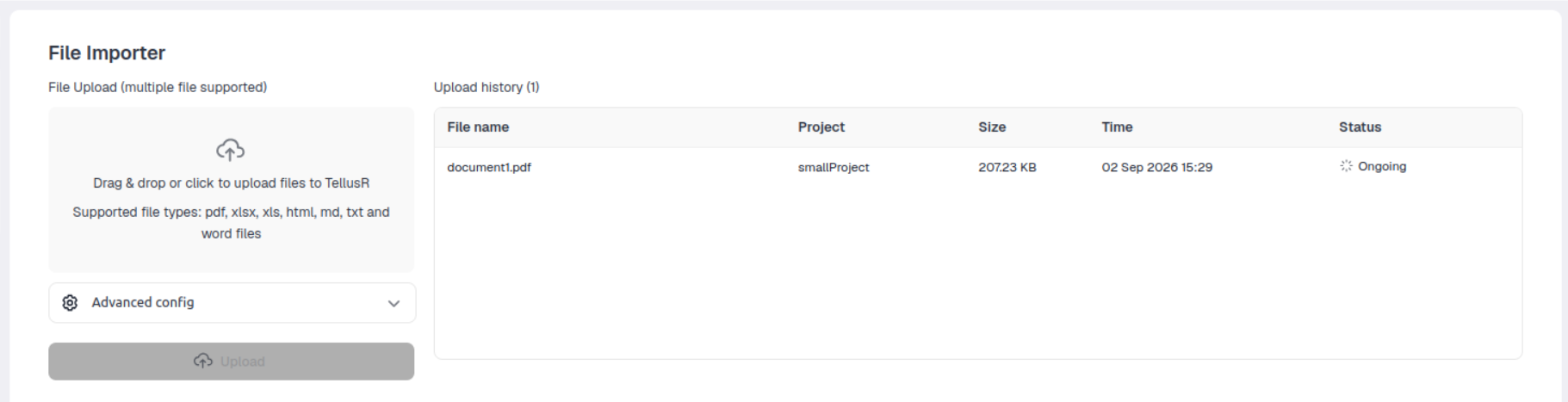
How to use
- Select a project using the
Projectdropdown in the left sidebar. All uploaded files are associated with this project. - Upload files by dragging & dropping them onto the upload area, or click it to open a file picker. Multiple files are supported in one go.
- View upload history in the table on the right. Each row shows the file name, project, size, upload time and status.
Supported file types:
Advanced config
Press Advanced config to control how a file is processed before uploading it.
| Setting | Description |
|---|---|
| ID | Optional. If left empty, the ID is autogenerated based on a SHA256 hash of the filename. |
| Strategy | Controls parsing for PDF and docx files: fast (text-only), auto (detects tables vs. text), precise (detailed structure extraction). |
| OCR | Uses OCR (optical character recognition) to process PDFs and Word files (does not affect other file types). This is generally the slowest setting, but is useful for scanned documents of machine‑written text that have not had OCR treatment. |
| AI vision text extraction | Bypasses local parsing for PDFs and Word documents and delegates to a vision assistant. The assistant sees the document as an image per page and extracts the text. This is useful for handwritten text and/or scanned machine‑written texts without OCR treatment. While this is generally a lot faster than OCR, it also has token cost. The assistant this mode uses is meta.vision_text, whose prompt can be tuned in the Assistants module. |
| Detect language | Runs language classification on the document. Required for NER analysis. |
| NER analysis | Performs Named Entity Recognition. Requires Detect language to be enabled. |
| Generate thumbnail | Generates a thumbnail image for the file. |
| Anonymize | It is possible to select different types of anonymization. One can anonomize people, locations, organizations and so on. |
| AI metadata enrichment | Generates new ai fields based on current fields. One can for example add a new field called ai_summary that will contain an AI generated summary based on the content. |
| Save copy | Saves a copy of the original file. |