Field Roles
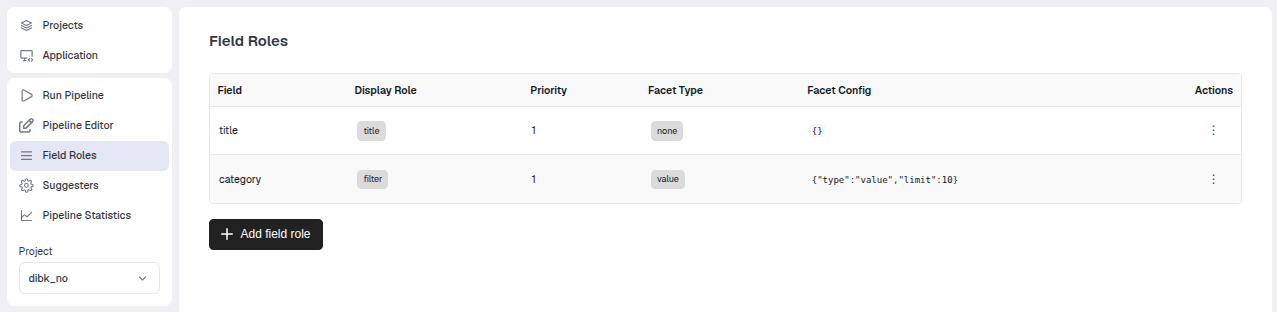
This page is for configuring the roles of fields in the search of the top bar. It can also be used to set up facets for the search in the top bar.
A field role consists of a display role (one of: title, link, thumbnail, meta, id, filter, highlight), a priority and possibly a facet for the search.
The various field roles
Here is an overview of the different types of field roles.
| Role | Description |
|---|---|
title | Used for titles. |
link | A URL field that makes the TellusR documents in the hit list clickable. |
thumbnail | Which field determines the thumbnail (must be URL or base64 encoded image). |
meta | Will be shown as a chip in the hit list. |
id | Will be used as display ID. |
filter | A field to set up as a filter in the UI. |
highlight | The UI will look for highlights from these fields. |
Priority assigns a priority if there are multiple fields that can serve the same function (e.g., two title fields). a low number means a higher priority.
If no field roles are set up, then the search hit list will default to hardcoded fields for titles, URL, and thumbnail. Field roles give more control over what appears.
Example
We consider a project with the following schema:
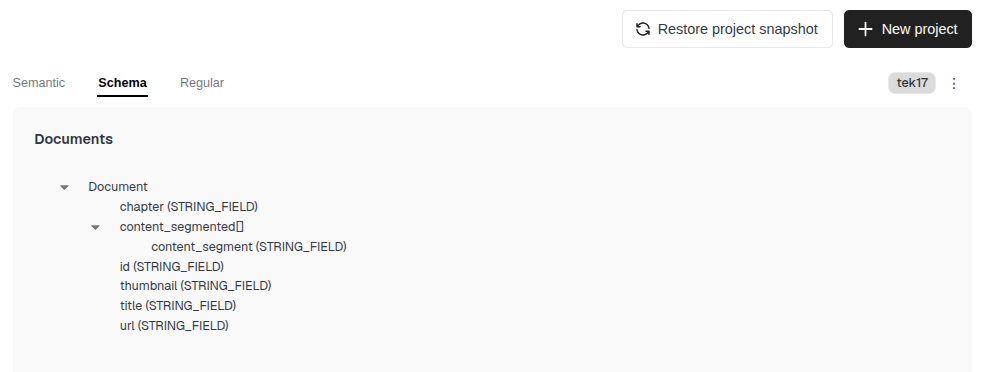
We set up the display role title to be fetched from the field title (this is also the default behavior in case no title field roles exist).
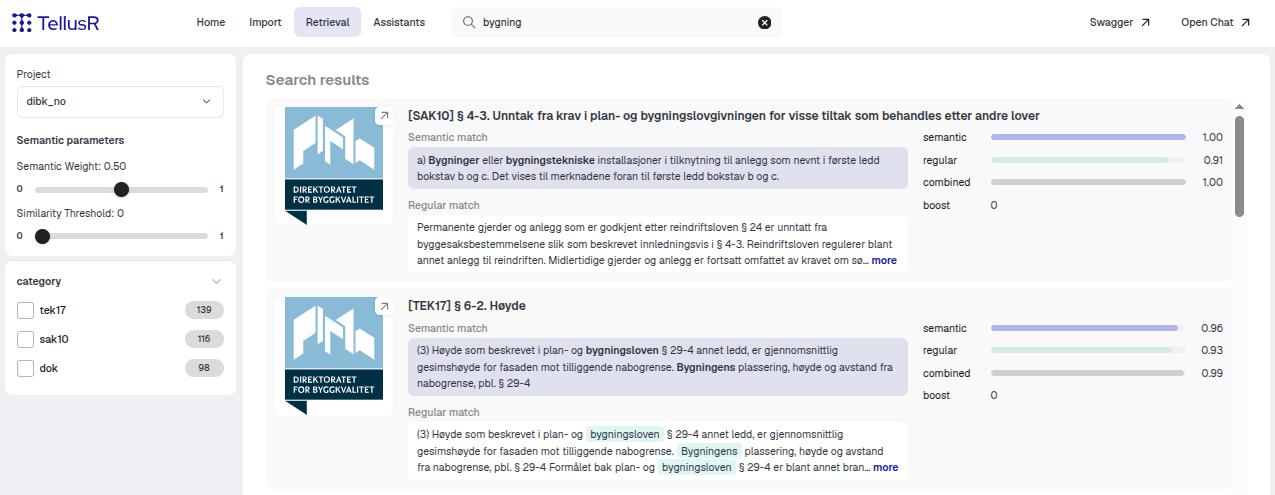
In addition, we set up facets for the category field (which is a field in the project in this example), so it shows up in the search list as a facet with the option to filter.