Pipeline Editor
See also Pipelines for a detailed description of the available pipelines and their parameters.
The Pipeline Editor allows you to configure and tune pipelines in the retrieval module. Recall that a pipeline is a retrieval algorithm that belongs to a project.
flowchart TD
  Q["query parameters (JSON payload)"] --> P["pipeline"]
  I["project indexes / collections"] --> P
  P --> R["list of results with metadata"]
Examples of pipelines are:
tellusrSearch: Implements hybrid search. Returns a result list with optional highlights, facets, filters.topChunkRag: Used for RAG workflows. Used by assistants created in TellusR.inspectDocument: Fetches a whole document by itsidfield.
In the remainder of this section we will consider the pipeline tellusrSearch.
If you make any changes you regret, revert the TellusR pipelines to their defaults using the button.

Defaults
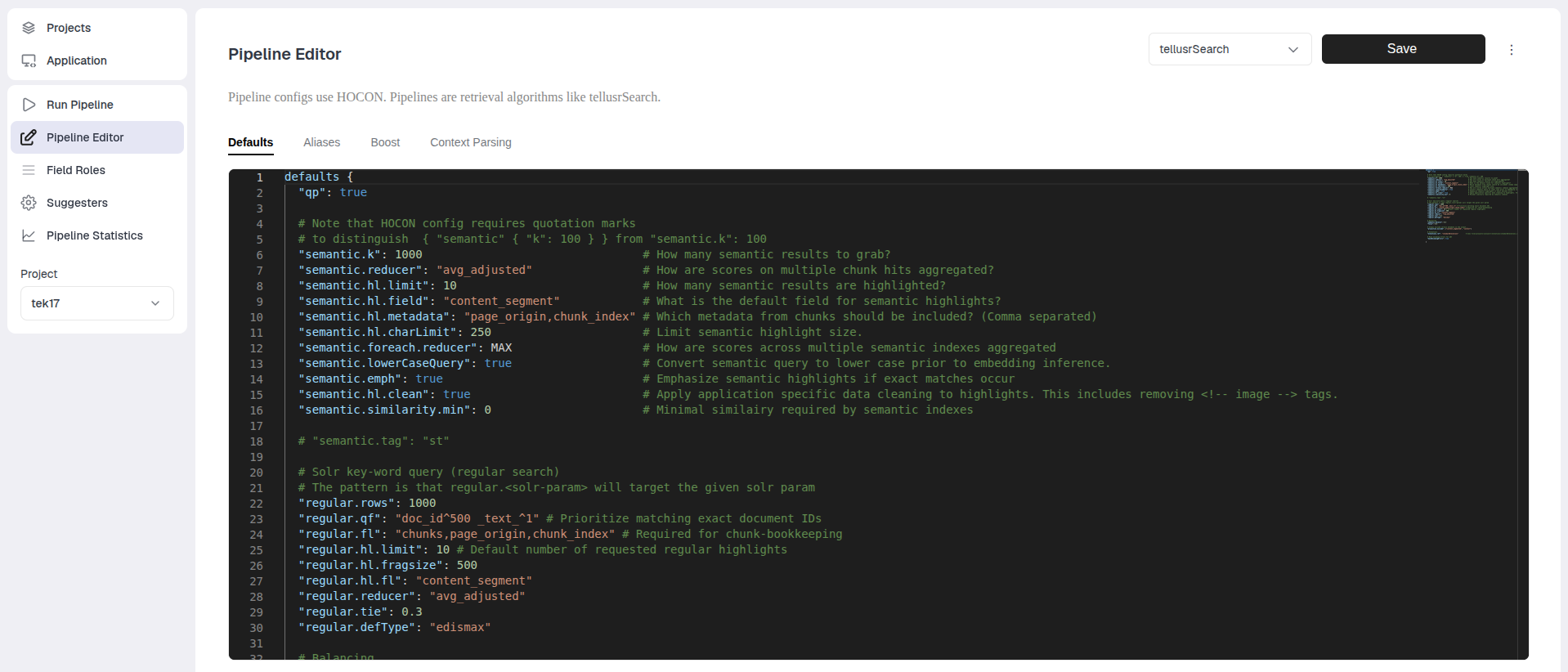
Defaults control the default parameters that are always set on every pipeline request. You can modify the defaults here.
Example 1 (semantic balance)
The parameter semantic.balance controls the default mix between keyword search and semantic search. Its default value is 0.5 which means 50 % balance.
The value 0 means 100 % keyword search, and 1 means 100 % semantic search.
A request on the form:
curl -X POST https://${YOUR_SERVER}/tellusr/api/v1/${YOUR_PROJECT}/compute/tellusrSearch \
-H "Content-Type: application/json" \
-d '{
    "q": "hello"
}'
Will use the default balance of 0.5 for semantic.balance.
Example 2 (modifying keyword search)
The keyword search in the hybrid search is implemented by a Solr backend and some of the familiar Solr
parameters are highlighted in this config.
# Solr key-word query (regular search)
# The pattern is that regular.<solr-param> will target the given solr param
"regular.rows": 1000
"regular.qf": "doc_id^500 _text_^1" # Prioritize matching exact document IDs
"regular.fl": "chunks,page_origin,chunk_index" # Required for chunk-bookkeeping
"regular.hl.limit": 10 # Default number of requested regular highlights
"regular.hl.fragsize": 500
"regular.hl.fl": "content_segment"
"regular.reducer": "avg_adjusted"
"regular.tie": 0.3
"regular.defType": "edismax"
You can customize your search by passing regular.<solr-param> to the keyword search.
Aliases
Aliases allow you to define aliases for pipeline input parameters.
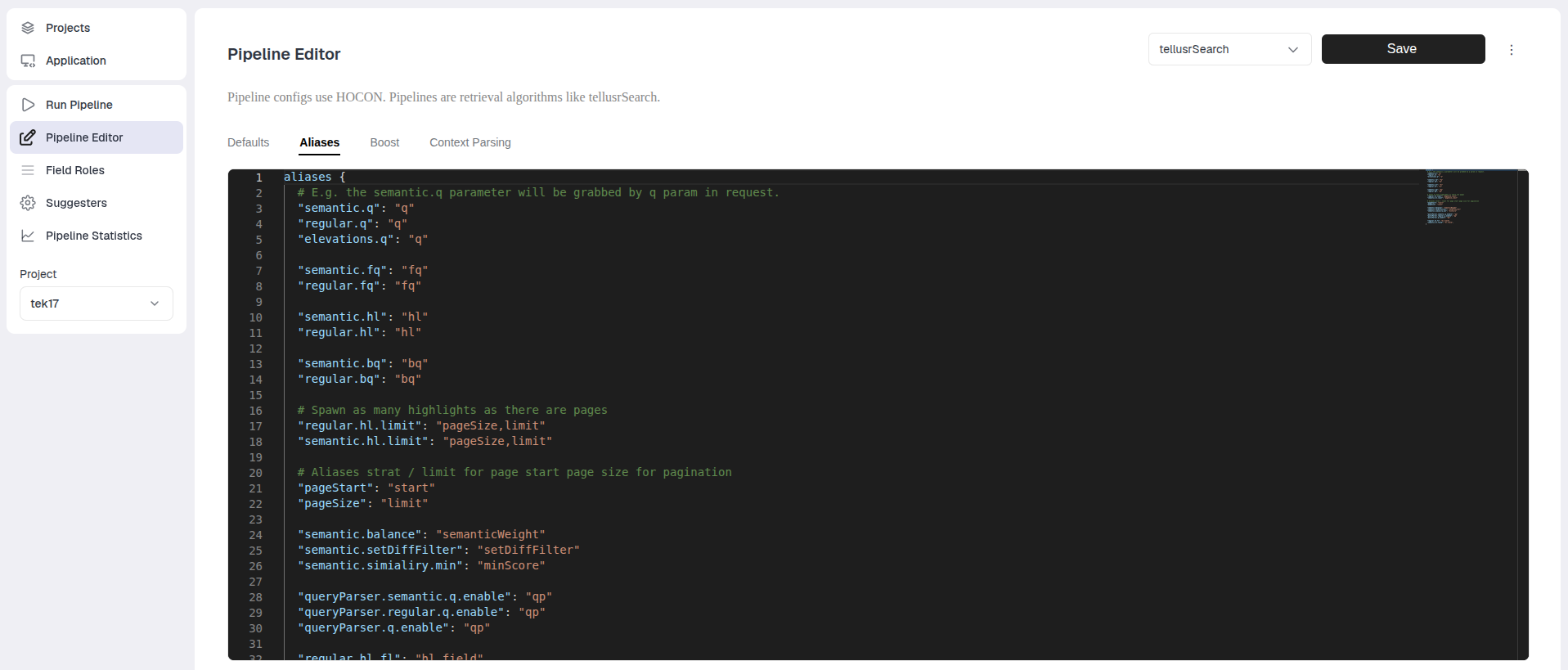
The left side is the name of the parameter you want to create an alias for, and the right side is a comma-separated list of aliases.
Boost
This mirrors the configuration for the boost settings of this pipeline. See also the Boost page.
Context Parsing
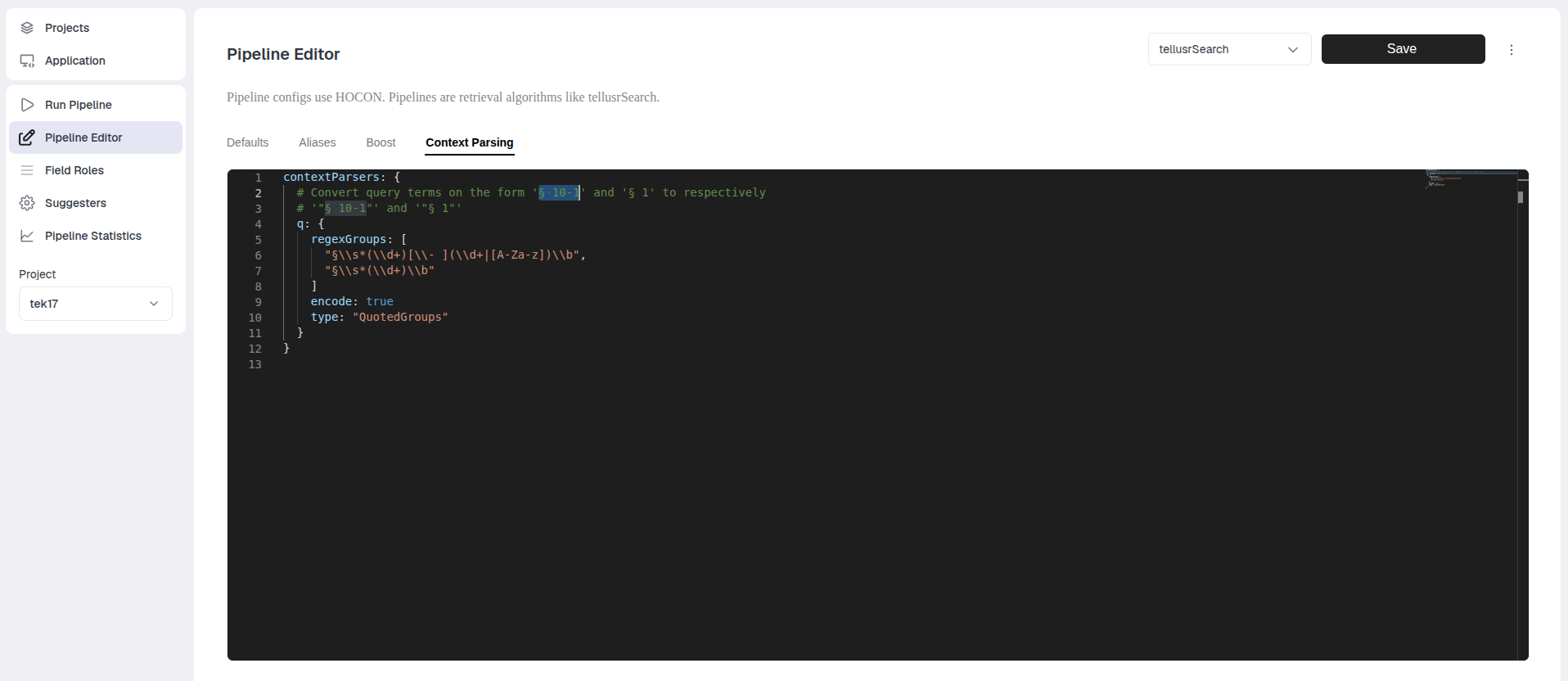
Context in this setting refers to how the computation parameters for a pipeline are modified prior to the pipeline receiving them. Here it is possible to modify the value of parameters.
The default example is that an incoming query q=§ 10-1 does not necessarily do well in keyword search because
it splits into the parts § and 10 and 1. But if we send the same query as q=\"§ 10-1\" then this split is not happening.
To address this the default config for tellusrSearch matches on groups such that paragraphs are correctly identified and the value of the q
parameter is transformed in a way that the keyword search can better handle it.