Semantic search
Semantic search excels at understanding user intent, making it robust against misspellings, synonyms, and general topic identification, unlike traditional keyword search, which relies strictly on exact wording. See the Concepts section for more details on how TellusR combines the best from keyword search and semantic search into a hybrid search.
Setting Up Semantic Search
To use semantic search, you first need to set up a semantic index. This is done automatically if you follow the Quick start process. If you skip the initial setup, you can create and manage them at any time via the Projects page. See the Projects documentation for details.
Run a search
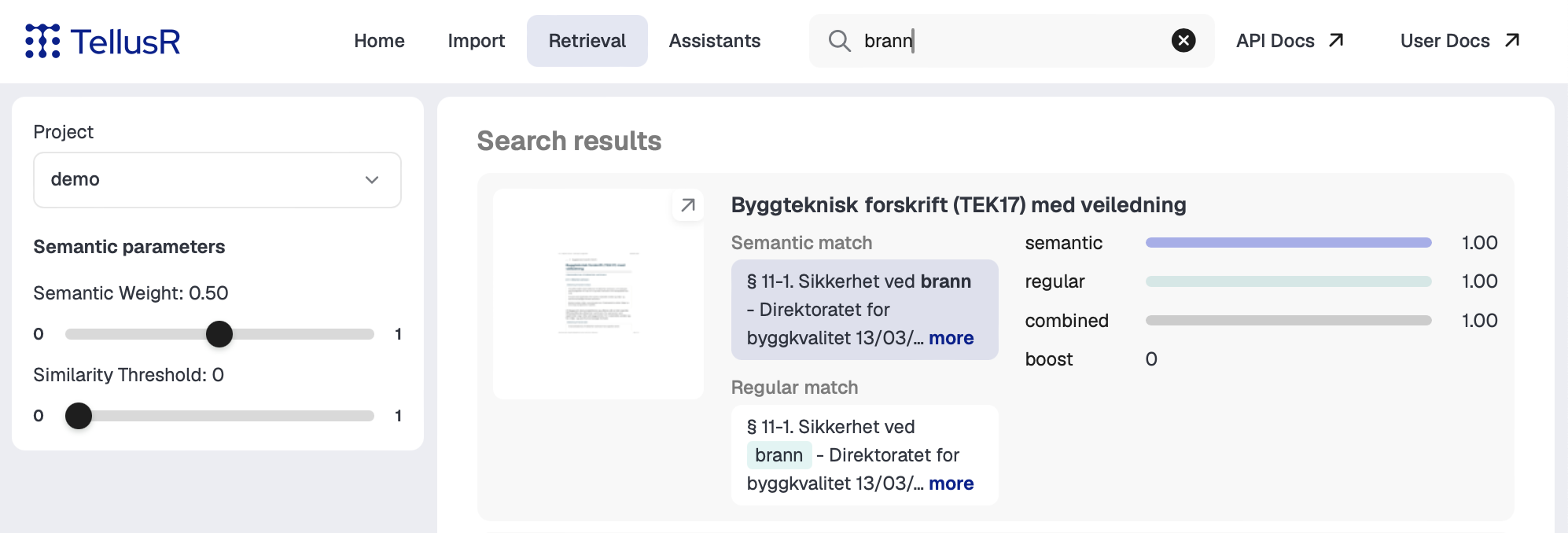
After importing data and creating at least one semantic index, you can test the hybrid search from:
- The dashboard (using the search box in the top menu), or
- The query-endpoints available in the API
By default, semantic results are blended 50/50 with the keyword results. You can change this balance with the semantic weight control (adjust the “Semantic Weight” slider on the search results page in the dashboard, or set the semanticWeight parameter via the API).
Next step: Assistants
TellusR allows you to create assistants to chat with your data, or perform other tasks. See here for more information.